Table of Contents
To connect a single client to the company network, you can install an IPSec VPN client software on the client and use it to establish a VPN connection.
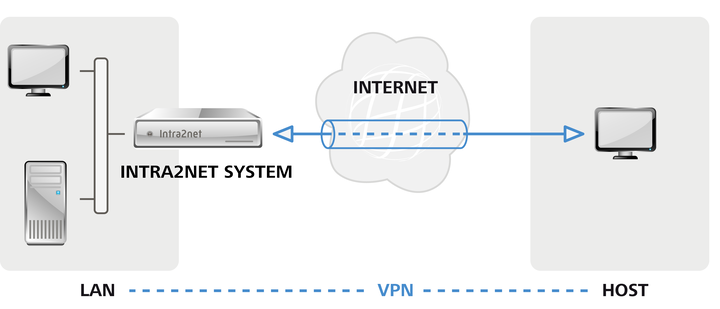
Such individual clients are usually located behind routers that mask their local network using NAT. With portable devices, the IP address on the local network also changes every time the device moves location or connects to the internet. While this is not a problem in itself, it means that VPN clients cannot simply use your IP address on the current local network for the VPN, but instead use a pre-defined virtual IP address. This is set once during setup in the Intra2net system and in the client, and is valid permanently for that specific client from then on.
If the local network in which the client is currently located uses the same IP network as the company network with which you want to establish a VPN connection, the IPs can no longer be uniquely assigned and the connection fails.
For most of the supported clients the Intra2net system can automatically prepare suitable configuration files which only need to be imported into the client. A manual configuration is always possible, too.